
Heater
Clock a pitch from slo-mo iPhone video. No radar gun.
Accurate from slo-mo
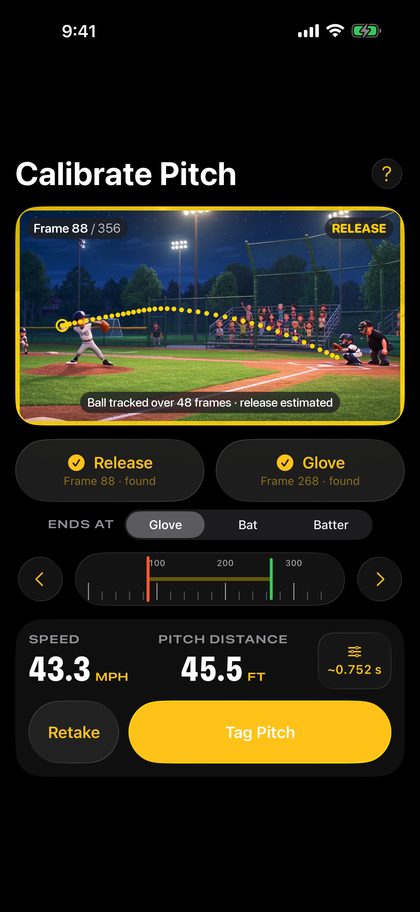
Heater's AI finds the ball and marks where it leaves the hand and reaches the glove. The speed comes from the clip's own 240-frame timing. You check both marks.
Every pitch, every session
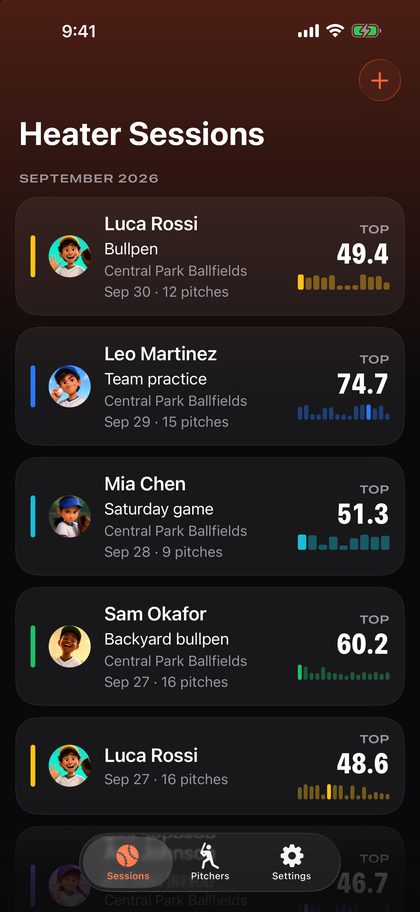
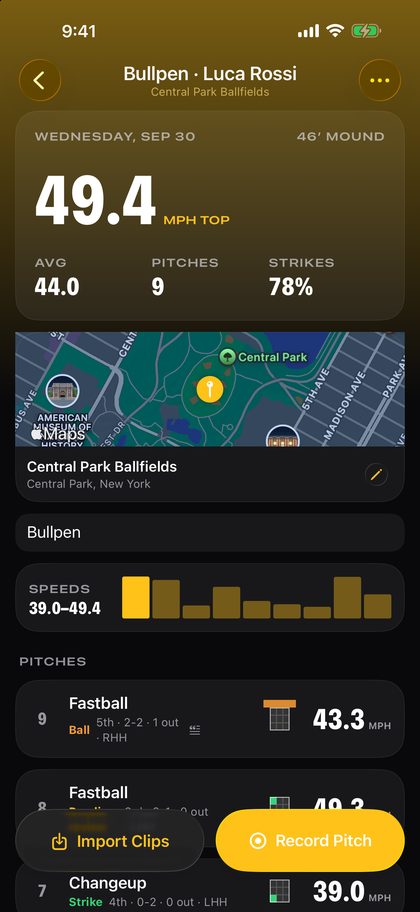
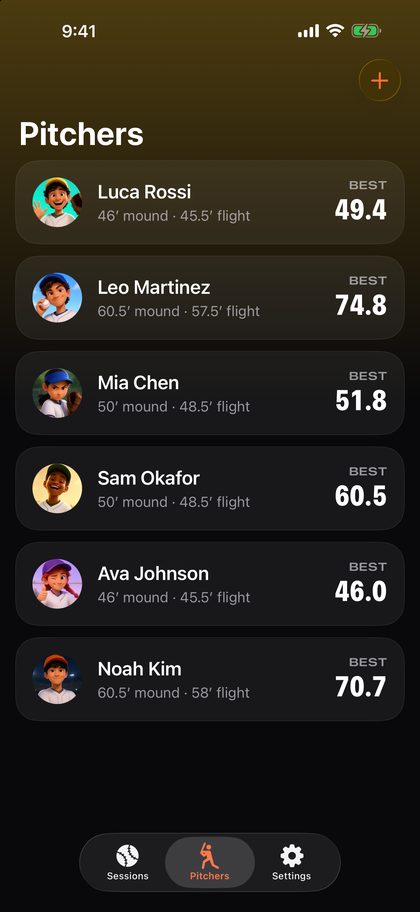
Each pitcher gets their photo and sessions. See the top speed, the average, the strike rate and every pitch, and watch the speed climb over a season.
Share with the dugout
Send a pitch as a video with the ball's trail and the speed on it, to coaches, family and friends. Import a whole game's slo-mo clips at once.
Inside the app
For families and coaches
Heater Pro is a week free, then $2.99 every three months, and one subscription covers the whole family through Family Sharing. Coaches and leagues who want Heater for a team: write to [email protected].
Support
How to film
Stand to the side, level with the pitch, about 20 feet away, so the whole flight crosses the picture. Hold still from the windup to the catch. Set each pitcher's mound distance and release point once, and Heater uses them for every pitch.
Which iPhones
Any iPhone from the iPhone 8 on records 1080p slo-mo at 240 frames a second, which is what Heater needs. The iPhone 7 and earlier record slo-mo only at 720p and are not supported.
Questions
"Too slow to measure." The clip is not slo-mo. A slo-mo sent through Messages or AirDrop as a normal video arrives at 30 frames a second. Import the original from Photos, or film in Heater.
"Ball not found." Usually the camera was behind the plate or far away, with the ball coming at it against a crowd. Film from the side. You can still set both marks by hand: tap Release, step to the frame the ball leaves the hand, tap again, and the same for the glove.
The speed looks wrong. Check the two marks first. Then check the pitcher's mound distance and release point in Pitchers.
Contact
In Heater's Settings, use Contact us to send a message, with an email if you'd like an answer, or Suggest a feature to +1 an idea or send your own. To report a problem with one pitch, use the bug button on that pitch. It includes the clip only if you allow it.
Or email [email protected].